
English
Use Plan for daily arrivals, departures, and follow-ups
Plan turns booking records into a daily operating list. Open it at the start of the day to see what needs attention, who is arriving or departing, who is staying over, and which units need cleaning.
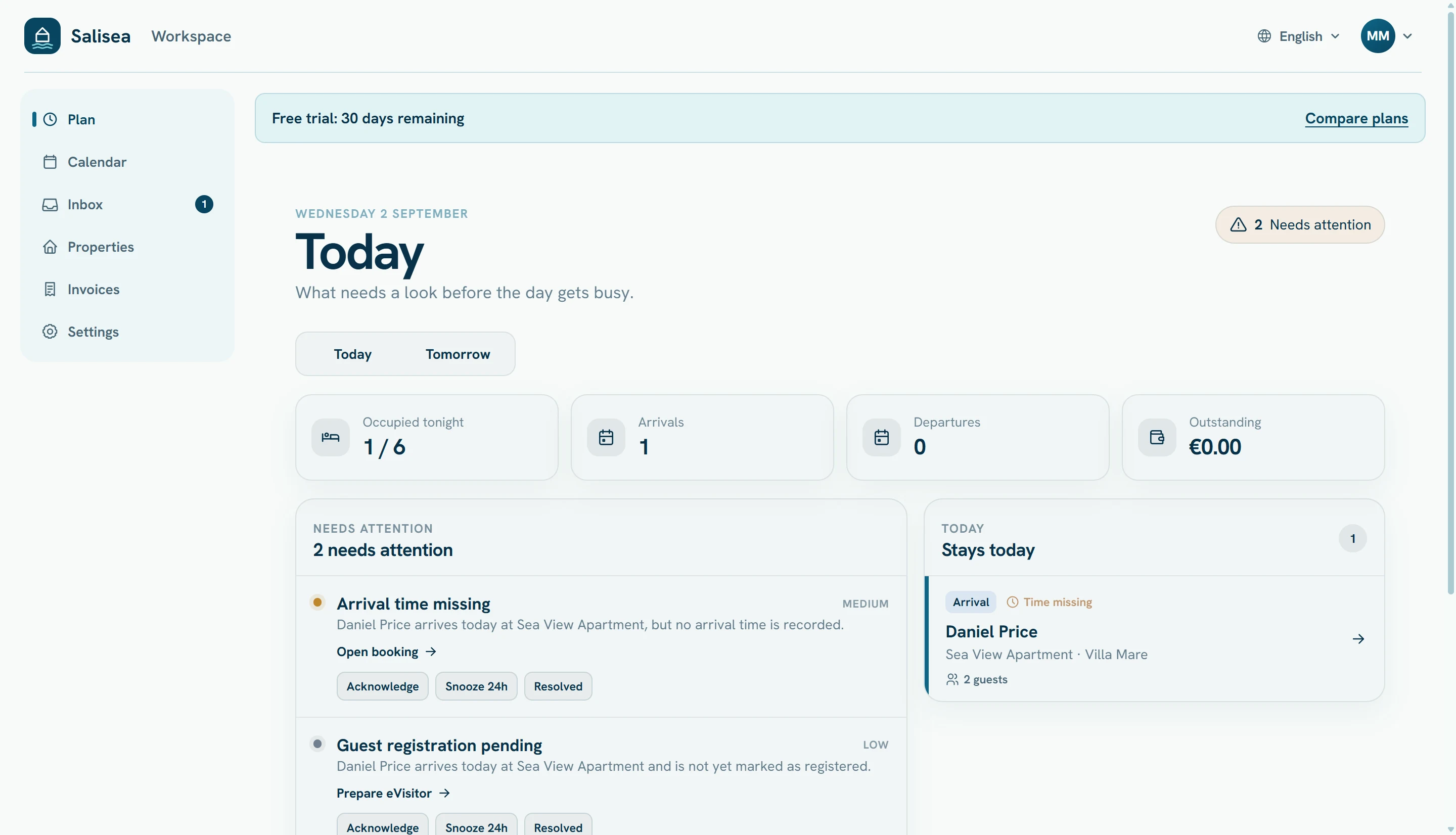
Start with Needs attention
These cards identify information or actions that could affect the guest stay, such as:
- missing arrival time;
- guest registration not completed;
- an unresolved operational detail;
- a task connected to a stay.
Open the linked booking, complete the missing information, and return to Plan. The item disappears when its underlying condition is resolved.
Review stays for the selected day
Use Today, Tomorrow, or the date navigation to inspect another day. Each stay card shows the guest, unit, party size, and whether it is an arrival, departure, or stayover.
Select a stay to open its full calendar record. Before an arrival, verify the party, contact details, arrival time, payment status, registration, and any special notes.
Coordinate cleaning windows
Cleaning windows are derived from departures and upcoming arrivals. Check that the unit, timing, and assigned workflow give the cleaner enough time. A day with no cleaning activity explicitly says so, which helps distinguish “nothing scheduled” from missing data.
Keep Plan accurate
Plan depends on the booking details entered elsewhere. Record correct dates, unit assignments, guest counts, and expected arrival times when the reservation is created. Update the booking when the guest’s plans change.
Use Calendar for longer-range availability decisions and Inbox for conversations. Use Plan for the actions that must happen on a particular day.