
English
Manage bookings and blocked dates in Calendar
Calendar combines confirmed bookings, temporary reservations, manual blocks, and imported channel availability. Use Month for a property-wide overview and Timeline to compare units across a selected date range.
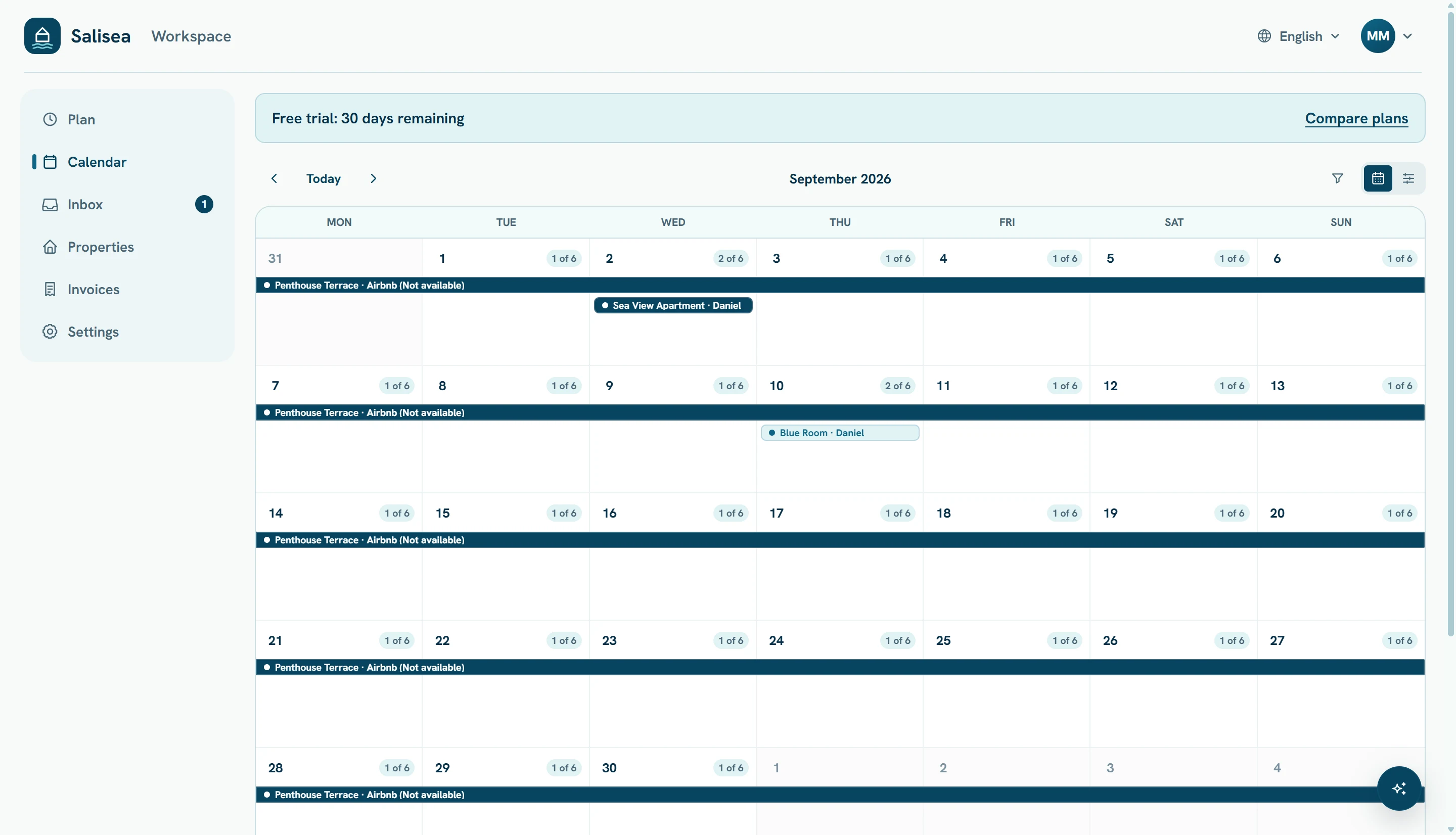
Understand the calendar states
- Confirmed is a booked guest stay.
- Reserved protects dates while a guest decides or completes a deposit.
- Blocked is owner use, maintenance, or another non-guest reason.
- Imported calendar comes from an external iCal feed and is read-only in Salisea.
Select any entry to see its details. Filters help focus on one property or unit when the workspace becomes busy.
Add a guest stay
Choose an available day in Month view, or click or drag across a unit row in Timeline. Select Guest stay, then choose whether the stay is Reserved or Booked.
Complete the unit, date range, lead guest, adults and children, phone or email, expected arrival time, and useful operational notes.
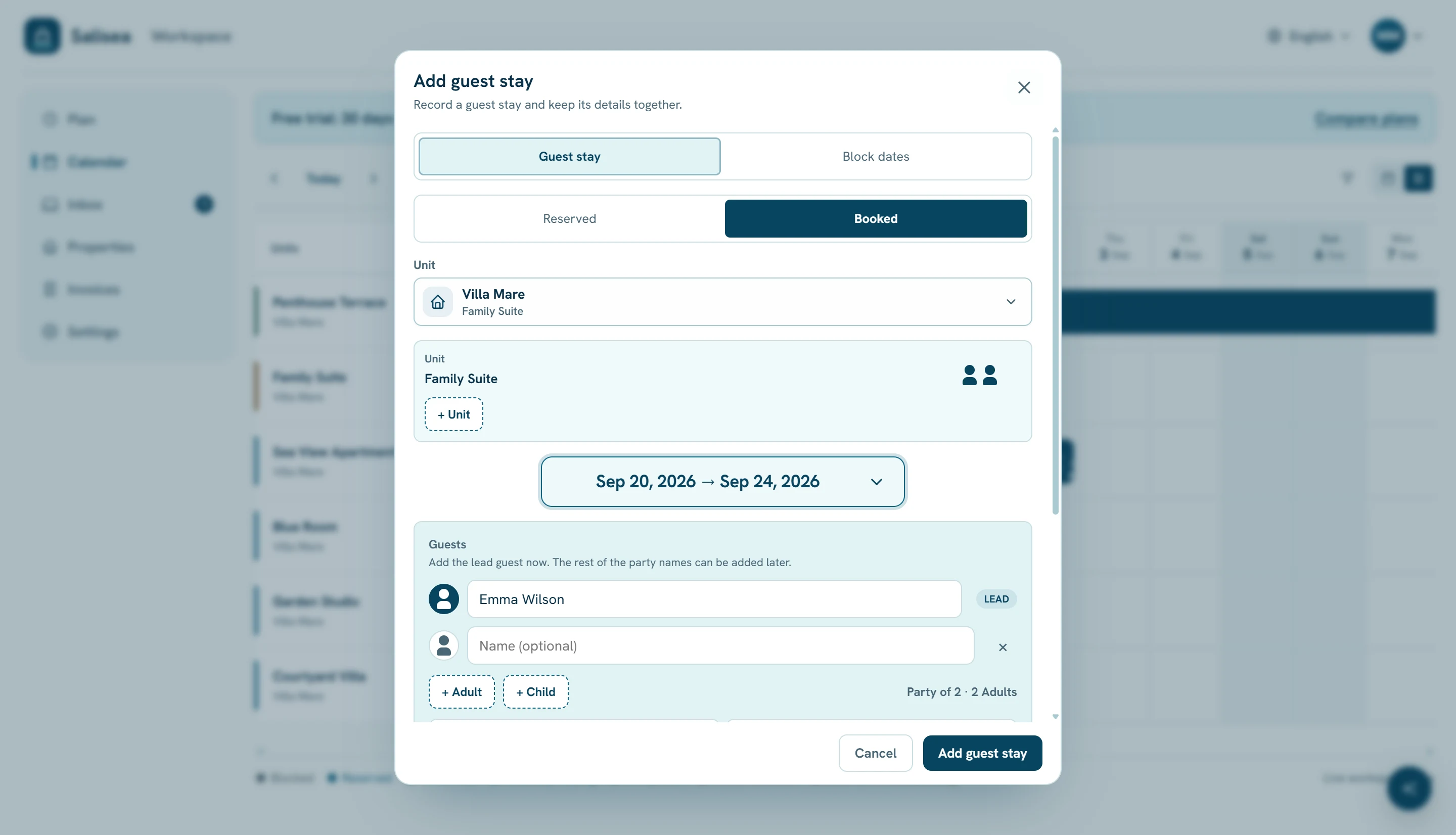
Use + Unit when one reservation includes more than one independently bookable unit. Assign the correct adults and children to each unit so capacity and daily operations stay accurate.
Open More details for pricing, deposit, source, or other reservation fields that are relevant to the stay. Review everything before choosing Add guest stay.
Block dates without creating a guest
Choose Block dates in the same editor when the unit is unavailable for:
- owner or private use;
- maintenance;
- a temporary unavailable period;
- another operational reason.
Select a specific reason and write a short note that will still make sense to your team later. A block affects availability but does not create a guest or conversation.
Edit guest count and stay details
Open an existing reservation and choose edit. Update dates, guest names, party composition, arrival time, notes, price, or payment status. Salisea prevents a change that conflicts with another active availability block.
Release a temporary reservation or manual block when it is no longer needed. Cancel a confirmed booking through its booking controls so the operational history remains intact.
Keep channel availability in context
Imported entries are controlled by the external calendar. Do not recreate them as manual blocks. Correct the date in the source channel and run Sync now, or wait for the scheduled refresh.