
English
Manage an inquiry from first message to confirmed booking
The Inbox keeps the guest conversation and the booking decision together. The left side shows what needs attention; opening an inquiry shows the stay, accommodation, guests, reply composer, and full conversation.
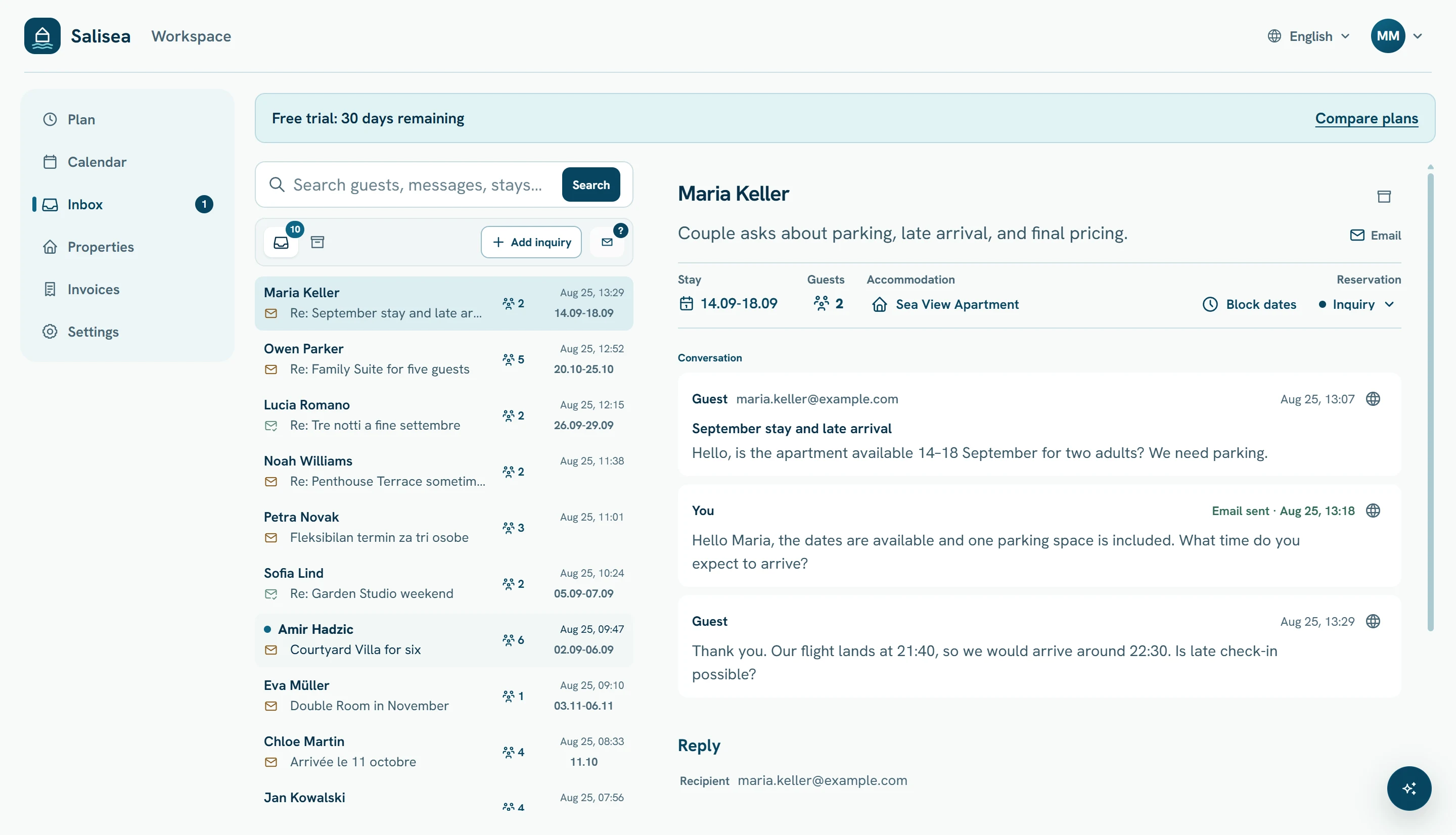
Review the request
Open a conversation marked Reply needed and confirm:
- arrival and departure dates;
- adults and children;
- requested property or unit;
- guest name and reply address;
- any special request in the latest message.
Use the Stay, Accommodation, and Guests controls to correct extracted details. Choose View availability in Calendar when you need the full property context.
Choose an available unit
Open Accommodation and select the unit you intend to offer. Salisea checks confirmed bookings, active reservations, manual blocks, and imported calendar events.
If the guest has not chosen a specific unit, compare the available options, capacity, and rate before assigning one.
Protect dates while the guest decides
Choose Block dates when a genuine offer or deposit decision is pending. Set a clear release deadline. The reservation protects the selected dates and Salisea can release them when the deadline passes.
Do not create a hold for every question. Use it when you have promised the guest time to decide.
Reply from the conversation
Review the recipient and subject, then write the reply or insert an approved template from Add to reply. Confirm that the offered unit, dates, party size, price, deposit, and deadline agree with the current record.
Salisea does not require you to send an unreviewed draft. Read the complete message and choose Send reply only when it is ready.
Confirm the booking
When the guest accepts, change the booking status to confirmed and complete the payment or deposit information. The confirmed stay blocks the calendar and keeps its guest, dates, accommodation, and conversation connected.
If the guest declines or the inquiry is no longer active, release any hold and archive the conversation. Archived removes it from the active work list without deleting its history.
Work the Inbox in a useful order
Start with Reply needed, then review guests awaiting a deposit or decision. Use Awaiting guest for conversations where the next action belongs to the guest. The goal is for every active inquiry to show who must act next.