
English
Set up your inquiry email and Salisea Inbox
Each property has a unique Salisea inquiry address. Forwarding guest inquiries to that address lets Salisea create a conversation, connect it to the right property, and extract the stay details for review.
When processing succeeds, Salisea identifies the guest, dates, party size, and requested accommodation where possible, checks availability, and prepares a suggested response. Review the extracted details and reply before relying on them. The original email remains in your normal mailbox.
Find the property’s inquiry address
- Open Inbox.
- Choose Inquiry inbox addresses above the inquiry list.
- Find the property and choose Copy beside its address.
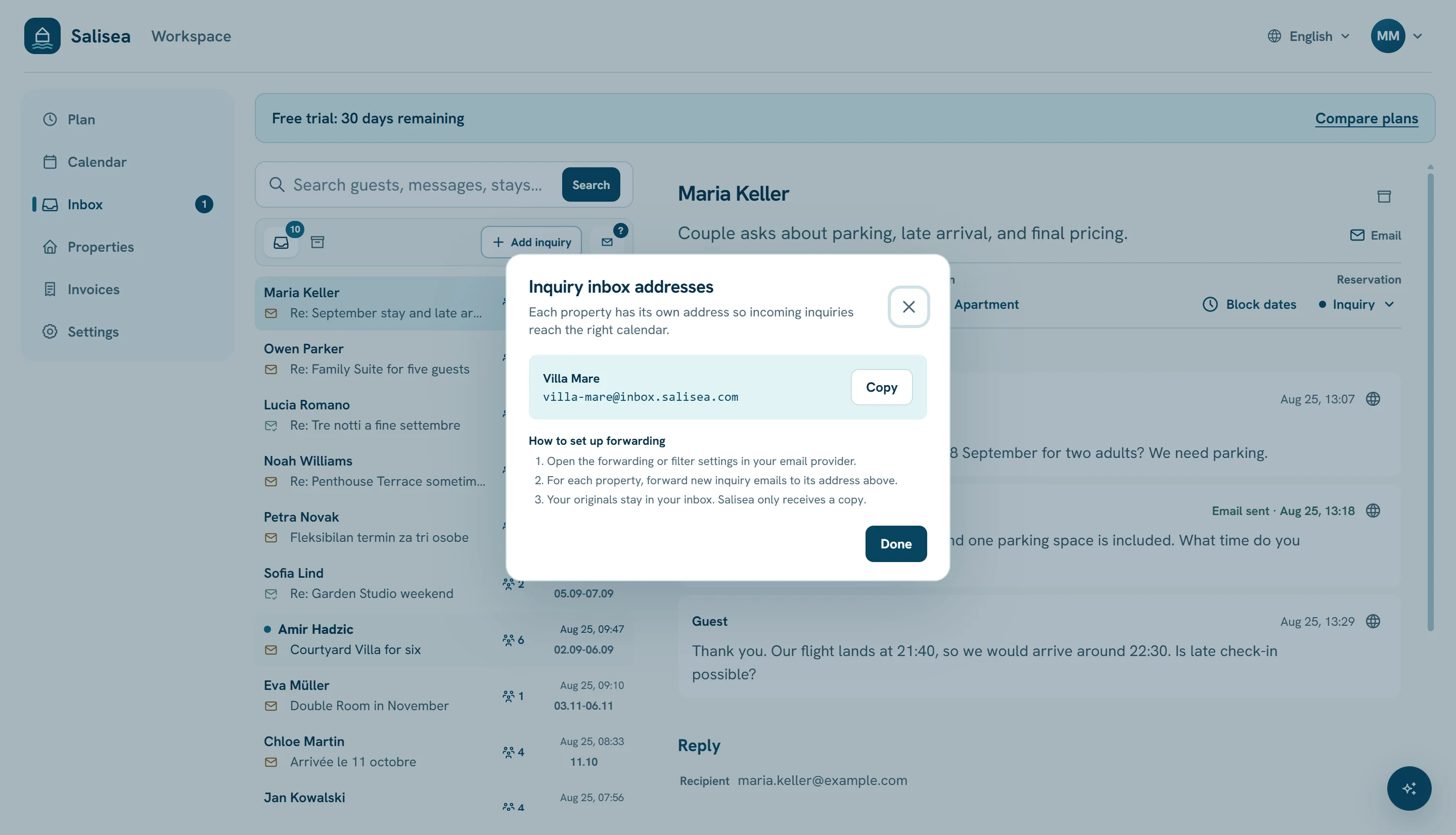
Treat this address as a routing address, not as the public email guests should type. Guests continue writing to your existing business address.
Create a forwarding rule
Open the forwarding, filter, or routing settings in the mailbox that receives booking requests. Create a rule that forwards accommodation inquiries to the copied Salisea address.
Good filters include messages from your website inquiry form or booking portals, or messages sent to a dedicated address such as reservations@yourdomain.com. Avoid forwarding newsletters, receipts, personal mail, or the entire mailbox.
Your original email remains in your usual inbox. Salisea receives a copy for the property workspace.
Gmail sends a verification message before enabling forwarding. Salisea shows it as Confirm Gmail forwarding in the Inbox and keeps it out of AI inquiry processing. Open that item, confirm the address with Google’s link or code, then return to Gmail and enable the forwarding rule.
Other email providers may use their own verification flow. Complete it before enabling the rule.
Test the connection
Send a realistic test inquiry through the same path a guest uses. Include:
- guest name and reply address;
- arrival and departure dates;
- number of adults and children;
- requested accommodation, if known;
- a short question.
The new conversation should appear in Inbox under the correct property. Open it and verify the sender, subject, requested dates, party size, and latest message. Correct any missing details before checking availability or replying.
Add inquiries that arrive elsewhere
For a phone call, WhatsApp message, walk-in request, or another channel, choose Add inquiry. Record the guest and stay details and paste a useful note. This creates an inquiry without blocking the calendar.
Facebook, Messenger, and WhatsApp are inquiry sources, not direct integrations. Salisea does not read or automatically import those private conversations.
Use one address per property
Forward each property’s inquiries to its own Salisea address. This prevents a request for one building from being checked against another building’s calendar. If you change your public email provider later, update the forwarding rule; the Salisea property address stays the same.
Next: manage an inquiry from first message to confirmed booking.